
Copyright © 2014 Benefit Plan Systems Corporation. All Rights Reserved.
CSPWeb was built to the recommended standards of the Open Web Application Security Project (OWASP) to includes all currently available security safeguards to protect your data from unathorized access.
Permanent logs track all user access. Your data is always under your control.
Reduce Your Costs
Access is provided to multiple types of authorized users described below:
Brand Your Site
Client/broker/Carrier users can be authorized to view specific client data, add new people, request edits and other complete reports.
Plan participants can view dependent data, billings/payments, coverage, view or reprint any letters sent, enroll in plans, change passwords and request edits.
Administrator users are authorized to access any data and perform all functions.

Support
Secure
Access
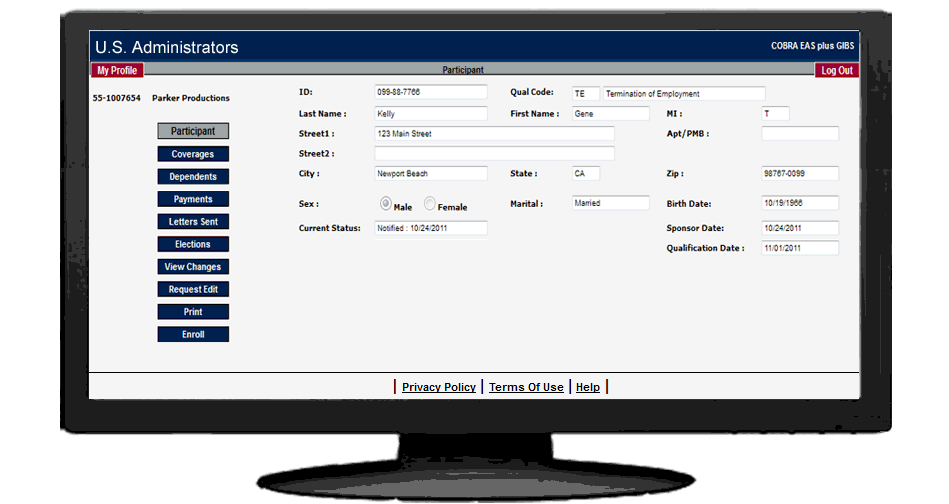
Illustrated: Main Participant Page
Client and employee self service can lower your costs and increase profits.
You can easily customize the interface to include your own graphics, text, and logo, maintaining the look and feel of your current company image.
Installation
CSPweb is a real time connection for the exchange of data between your company, plan participants, clients, brokers or other authorized parties on the internet.. It's the fastest and most cost effective way to get your clients to the cloud.
Call Marketing at 800.523.8047 to arrange an on-line demo.
Setting up CSPWeb at your ISP or on your server is easy. Just follow the illustrated system setup instruction guides to install the required files. Most installations can be completed in less than 1 hour.
CSPWeb is completely supported by our highly trained specialists.